 foldies
Try a web toy
foldies
Try a web toy 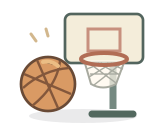
A miniature hoop, a stack of carnival cans, or a hungry monster waiting for a catch: three pocket arcade games can turn the same flick into very different play. Here’s how to choose a round and get a feel for each toy.
Coming in the next iPhone update. Pocket Basketball, Pocket Carnival, and Chops Snack Toss are upcoming Foldies app toys. This page is a preview and play guide; these three toys do not have public browser demos.
Choose your kind of round
Start with the pace you enjoy. Basketball rewards a rhythm of repeated shots. Carnival gives you time to consider the next target. Snack Toss mixes a short catch challenge with Chops’s reactions.
| Toy | Round | Your aim |
|---|---|---|
| Pocket Basketball | 45 seconds; unlimited shots | Move around the court and shoot for the hoop. |
| Pocket Carnival | Six throws; no timer | Knock down all six cans with a beanbag. |
| Chops Snack Toss | 30 seconds | Toss treats into Chops’s mouth and build a catch streak. |
Swipe the table to see every column.
Pocket Basketball: find your shooting spot
This mini basketball game has a small court you can move around. Tap the court to place the ball, tap the ball for a bounce, then flick toward the hoop. Your first shot starts the 45-second clock, so you can look around before the round begins.
- Start from one position. Make a few shots from the same spot to learn the direction and strength of your flick.
- Use the court markings. Positions inside and outside the arc are worth two or three points. Move the ball when you want a different shot.
- Watch the final ten seconds. Scoring doubles during this part of the round. Two-point shots become four; three-point shots become six.
A shot’s value is set when you release it. A ball released before the buzzer can still finish its flight and score afterward. At the end, compare your points, baskets made, and session best, then choose Play again for another round.
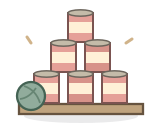
Pocket Carnival: look at what supports the stack
Six cans form a little pyramid. You have six beanbag throws to clear it, with no countdown pushing you to rush. Drag to preview your aim, then flick toward a can. A longer flick sends the beanbag a little farther.
Try aiming at a lower can that supports others. When that can falls, the cans resting above it can tumble too. After each throw, look at the remaining shape before aiming again; the best next target may have changed.
Each fallen can earns ten points. The round ends when all six cans are down or you have used your six throws. Fresh round restores the pyramid. If you prefer setting a throw deliberately, open Controls and adjust Aim and Launch power before using Launch.
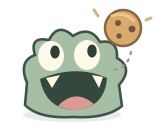
Chops Snack Toss: a new way to feed a familiar friend
Original Chops closes for a bite. In Snack Toss, you send the food toward him. Pick Cookie, Chili, Ice cube, or Berry and watch his different reactions when he catches a treat.
There are two ways to throw. Tap a treat in the tray for a direct toss, or hold and flick the treat on the board to control its direction and power. Chops follows the snack as you hold it, giving you a moment to line up with that big smile.
The first toss starts a 30-second round. Each catch earns ten points, and consecutive catches build a streak. If a flick falls short, try a little more power; if it flies past, ease back. Change one part of your flick at a time so you can see what helped. Choose a fresh round when you want to start again.
Before you play
Do I need a folding iPhone?
No. These toys support touch play on ordinary iPhones. On iPhone Duo, the hinge sets the playboard’s posture while your touch launches the shot or treat. A folding device is not required for the touch controls described here.
Can I pause a timed round?
Basketball and Snack Toss pause their clocks while the toy is closed or Controls are open. Carnival has no timer. Toy sound and haptics can also be changed in Controls; those preferences apply across the collection.
How will I get these toys?
All three will be part of the optional one-time Collection purchase in the upcoming update. They are not available in the current browser collection.
A little play while you wait.
The new toys arrive with the next iPhone update. You can explore the current Foldies browser toys today, without an account or download.
Feed original Chops in your browserSee the current Foldies app on the App Store